Delete Your Account
Last updated: November 16, 2026
You can delete your GameVox account yourself, from any GameVox app. The account is deleted as soon as you confirm, and it can't be undone.
Only want to remove some of your data, such as messages, your profile picture or a phone number, and keep your account? See Delete your data without deleting your account.
1. Before You Start
- Servers you own. You can't delete your account while you own a server. Delete the server, or transfer it to someone else in Server Settings, first. If you bought a server with a lifetime purchase, contact support@gamevox.com.
- Messages in servers. Messages and forum posts you wrote in servers are not deleted with your account (see What Gets Deleted). If you want them gone, delete them first.
- Voxium. An active Voxium subscription is cancelled as part of the deletion.
- Proving it's you. To make sure nobody else can delete your account from a device you left signed in, you'll be asked for:
- your password, if your account has one, and
- your two-factor code from your authenticator app, text message or email, if you turned on two-factor authentication. If you didn't, we send a 6-digit code to your verified email address or phone number instead. Codes are valid for 10 minutes.
2. Desktop App and Web App
These steps are the same in the GameVox app for Windows, macOS and Linux and in the web app at app.gamevox.com.
- Open Settings with the gear button next to your name at the bottom of the window.
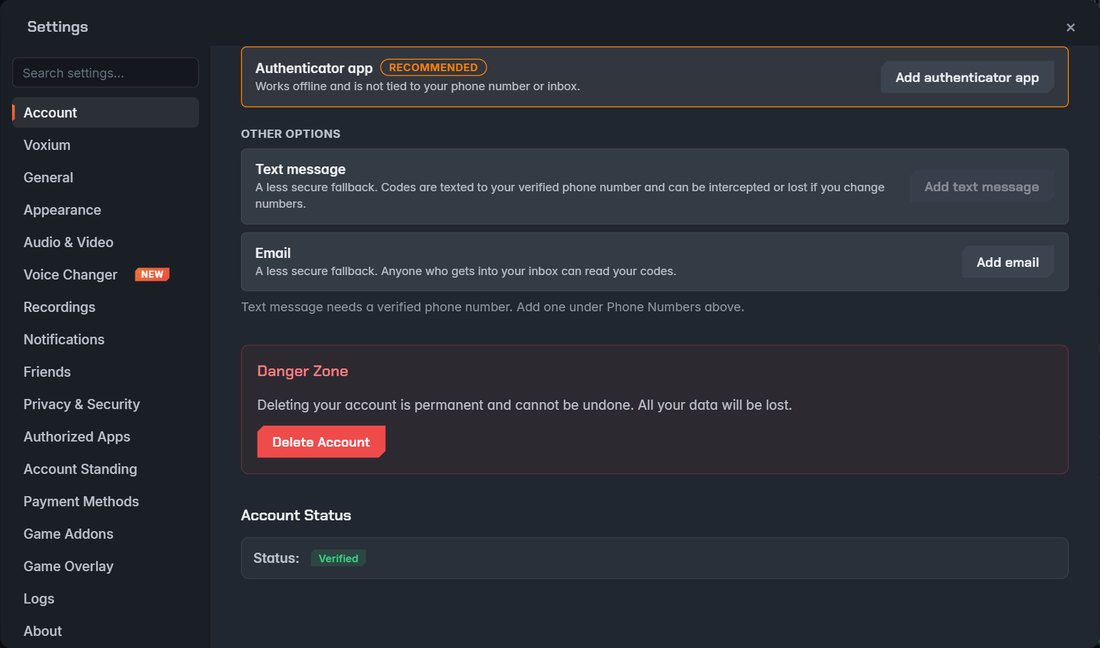
- On the Account tab, scroll down to Danger Zone and click Delete Account.
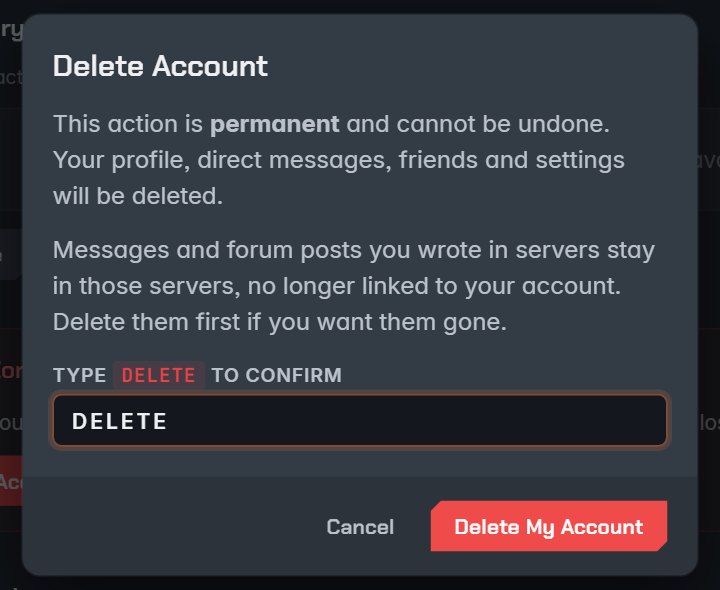
- Read the warning, type
DELETEin the box and click Delete My Account.
- If your account has a password, enter it and click Continue.
- Enter your two-factor code. With two-factor authentication on, use your authenticator app, or choose text message, email or a backup code. Without it, choose the email address or phone number to send a code to. Your account is deleted and you are signed out.
If your account has no password, no two-factor authentication and no verified email or phone, there is nothing else to ask: the account is deleted right after step 3.
3. iPhone, iPad, Android and Amazon Fire
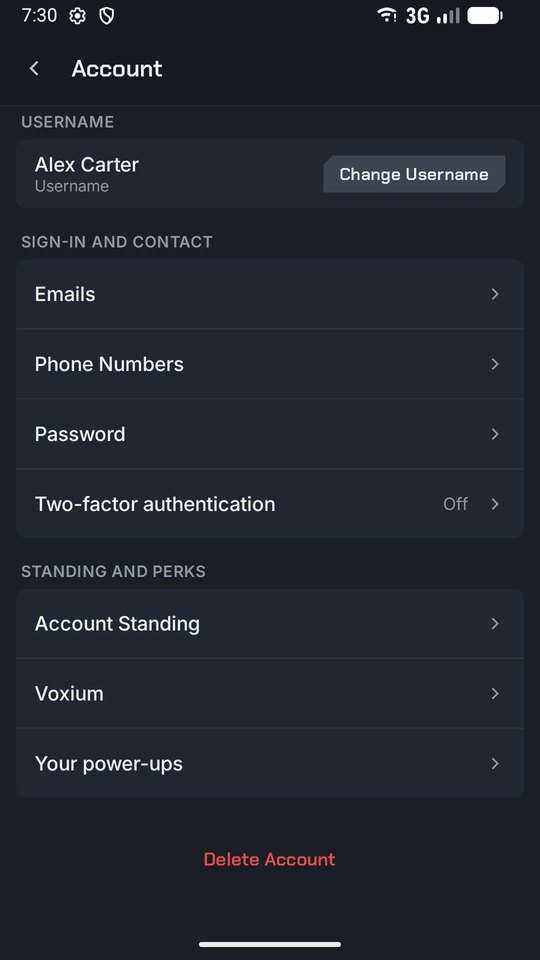
- Tap the Settings gear next to your name, then tap Account.
- Scroll to the bottom and tap Delete Account.
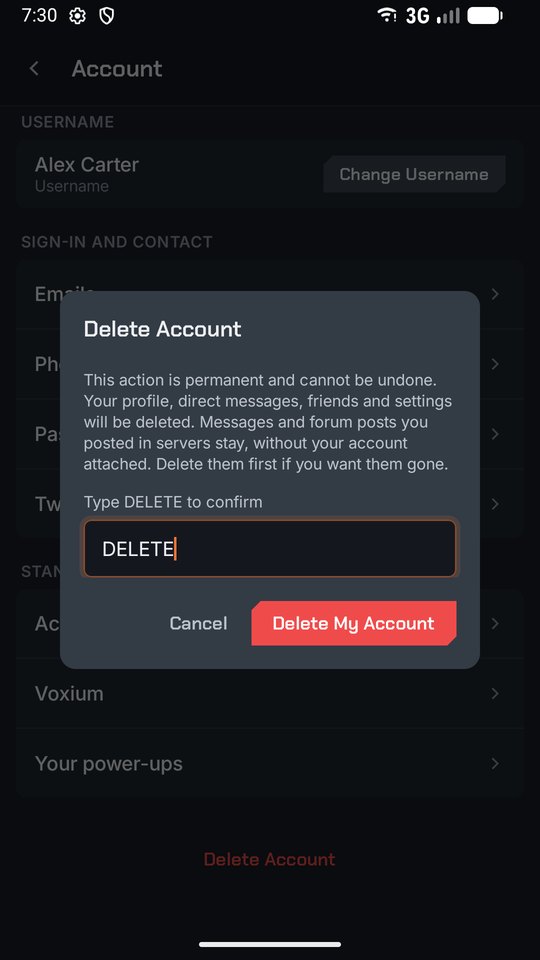
- Type
DELETEand tap Delete My Account. - Enter your password if your account has one, then your two-factor code (or the code we send to your email or phone).
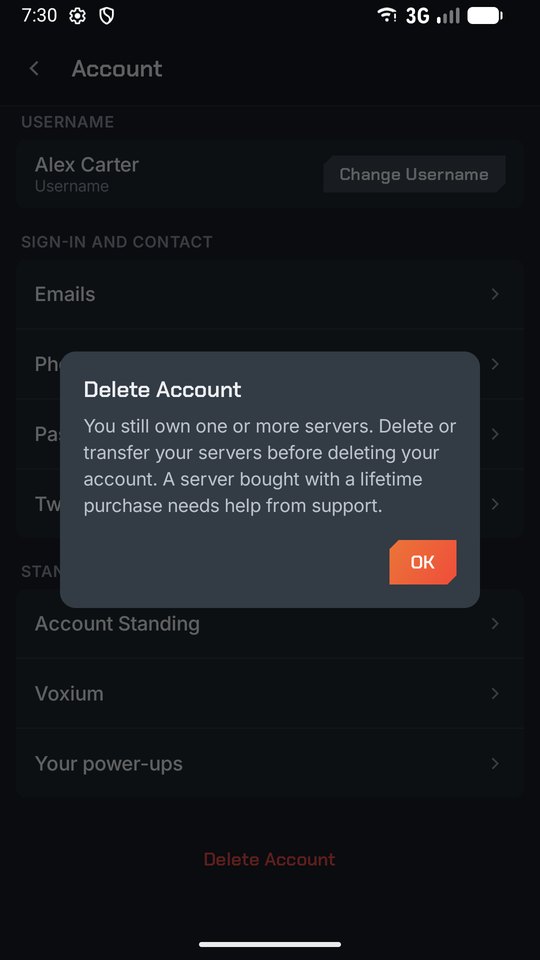
Don't see Delete Account? Update GameVox from your app store, or use the web app at app.gamevox.com in your phone's browser and follow the desktop steps.
4. What Gets Deleted
Deleted right away:
- Your profile: username, profile pictures, banner, bio and status
- Your email addresses, phone numbers, password and two-factor settings
- Your direct messages and the files in them
- Your friends list, blocks, server memberships and roles
- Your settings, saved logins, sessions and login history
Kept in servers: messages and forum posts you wrote in a server, files you shared there and custom emoji you uploaded stay in that server so the conversation still makes sense for everyone else. They are no longer linked to any account, but messages keep showing the name you posted them under. To remove them, delete them before you delete your account.
Copies in our backups are purged within 30 days. We may keep some information longer where the law requires it, as explained in our Privacy Policy.
5. Can't Sign In?
If you can't sign in to delete your account yourself, email support@gamevox.com from an email address on the account and include your username. We'll confirm it's your account before we delete it.